How to Control a Multitrack Player Remotely on Stage
Control Stemly from an iPhone or iPad. The device that plays your tracks usually sits by the mixer. Stemly Remote lets you pick songs, press PLAY and STOP, jump to the next song and read the lyrics from anywhere on stage.
1 Why a remote at all
In a live rig the playback device is wired to the mixer: a USB cable to the console, often a hub, sometimes a power supply. It stays where the cables are, usually next to the sound desk, while you are on stage. Walking back to it between songs, or asking someone to press PLAY at the right moment, is exactly the kind of thing that breaks a show.
Stemly Remote is a free companion app for iPhone and iPad that solves this. The device running Stemly stays by the mixer (the host), and you control it from the remote in your hand or on your stand.
2 What the remote does
Song selection
Pick any song from the host’s list straight from the remote.
PLAY
Start the song from where you stand.
STOP
Stop it just as easily.
Next song
Jump to the next song in the list without touching the host.
Lyrics from the host
The lyrics of the current song come back from the host to the remote’s screen, so you can read them while you control playback.
Audio never leaves the host: it keeps playing through its USB output into the mixer, and the remote only sends commands and receives the text.
3 Four setups that work
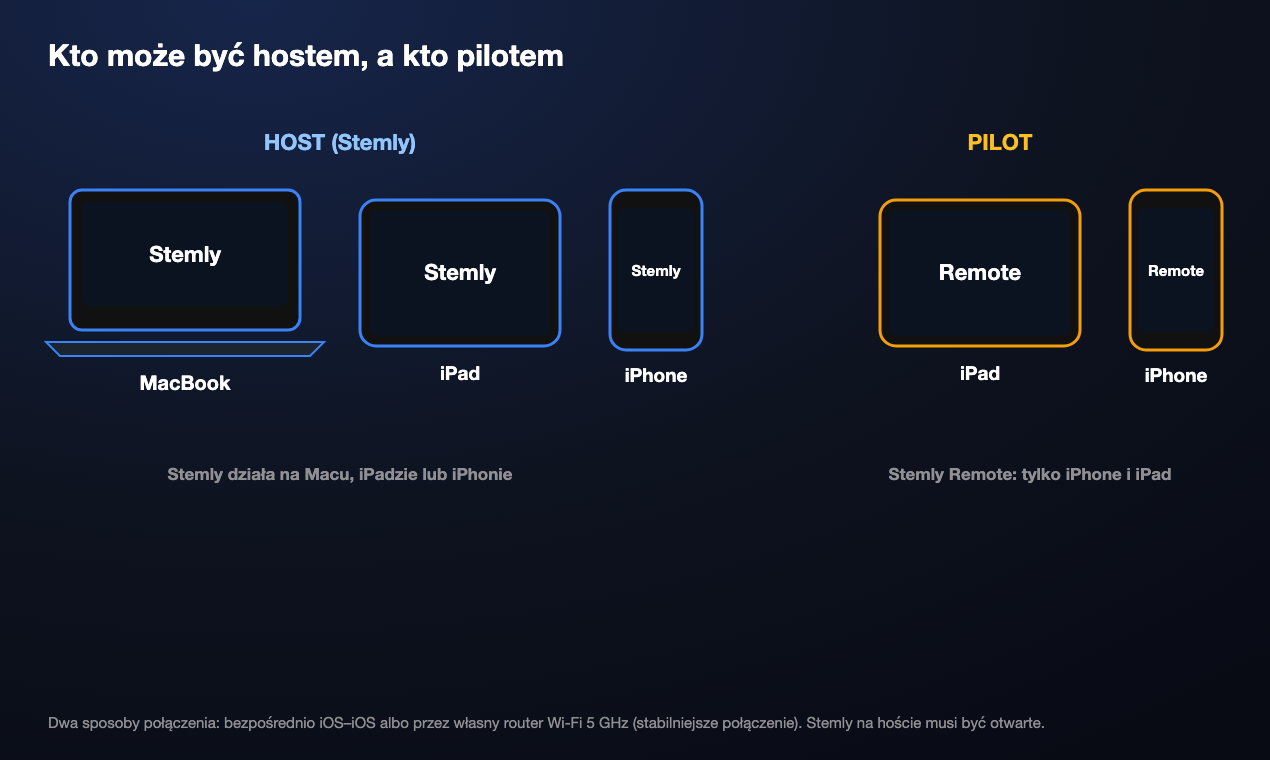
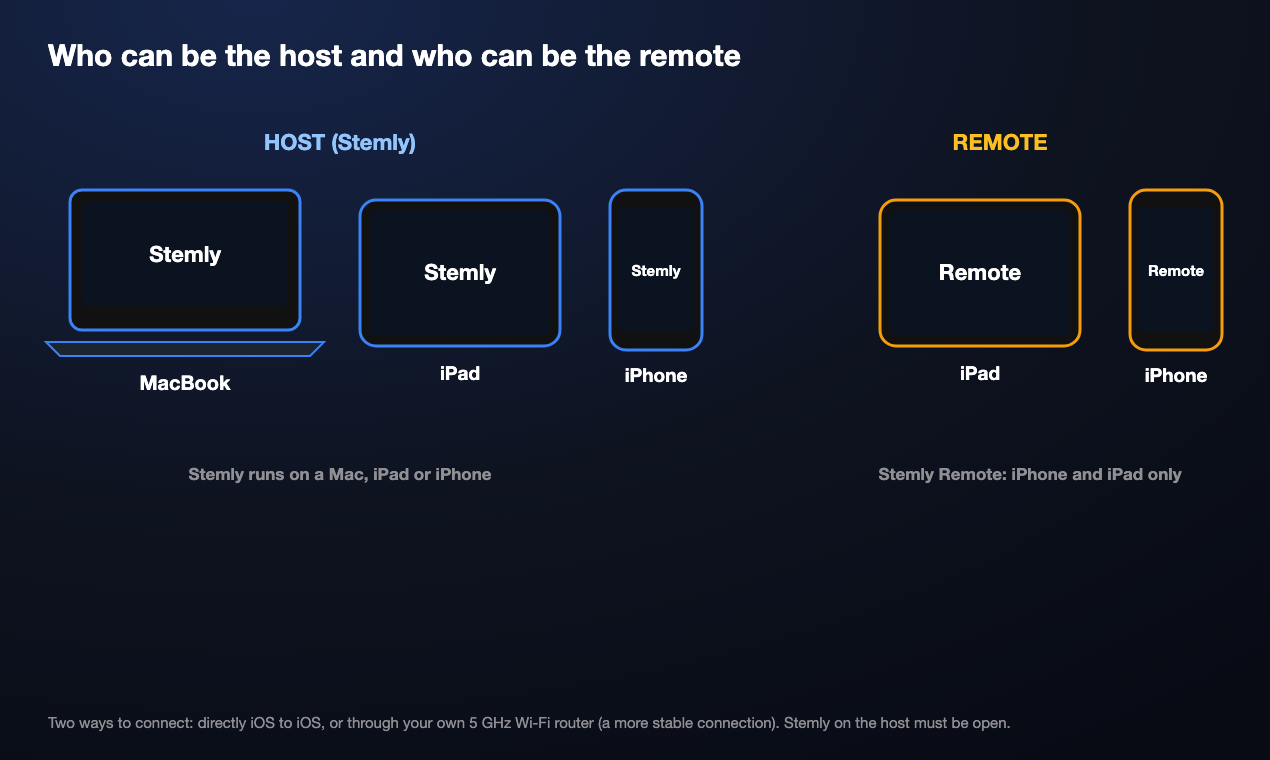
Stemly runs on a Mac, an iPad or an iPhone, so the host can be any of them. Stemly Remote runs on an iPhone or iPad. Here are the combinations that make sense on stage.
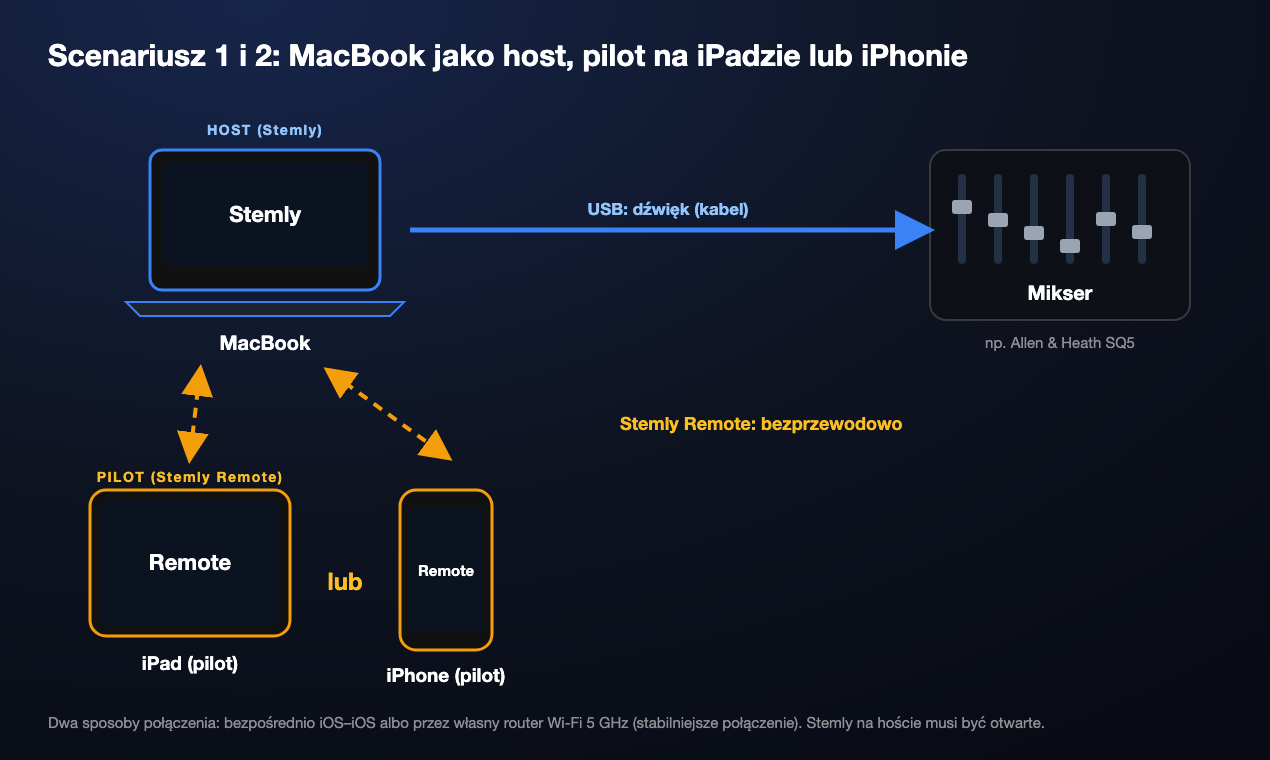
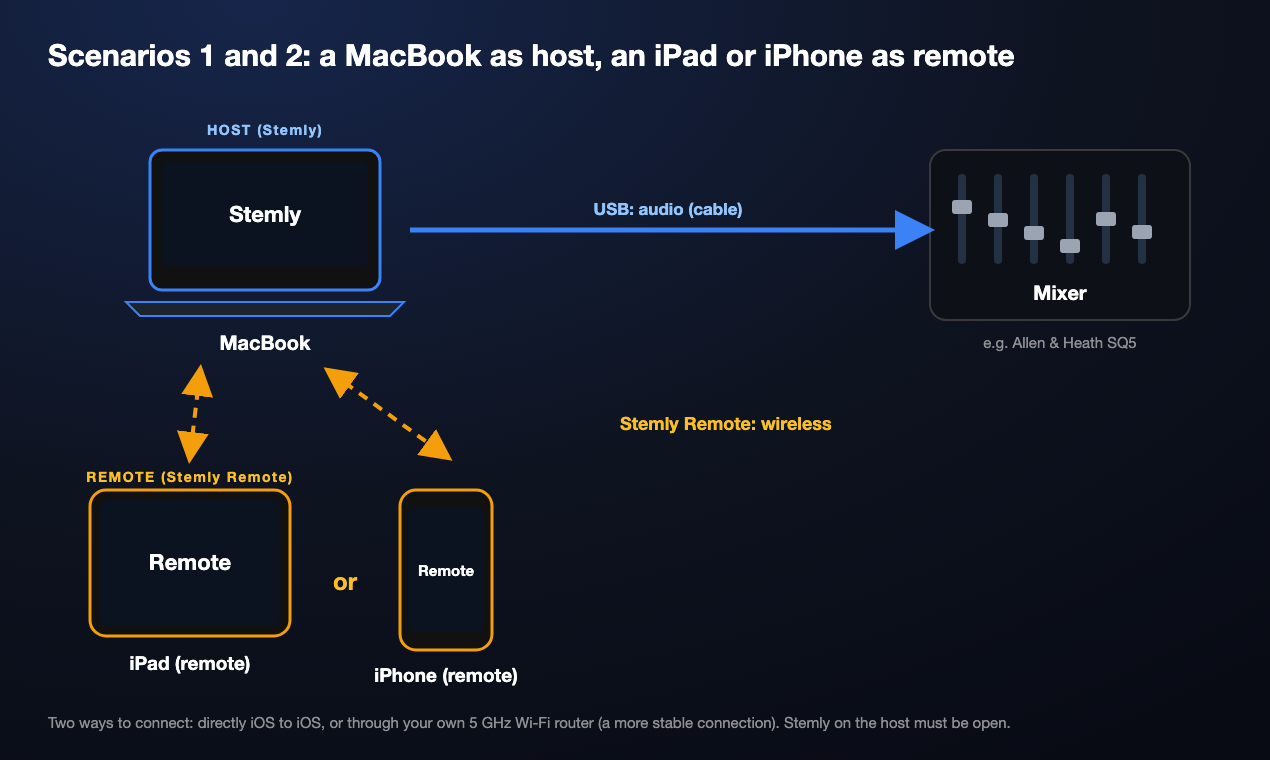
A MacBook at the mixer, an iPad or iPhone as the remote
The MacBook is plugged into the mixer over USB and runs Stemly. You hold an iPad or an iPhone and drive the show from the stage.
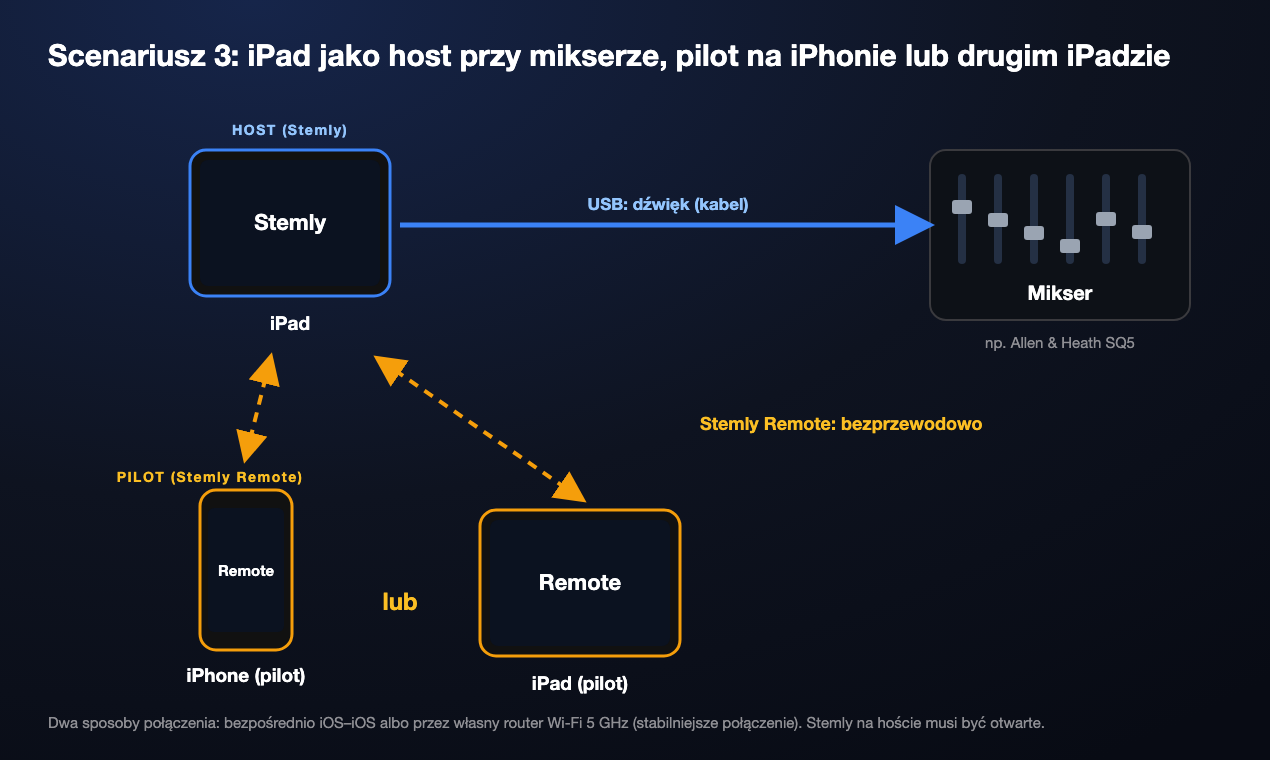
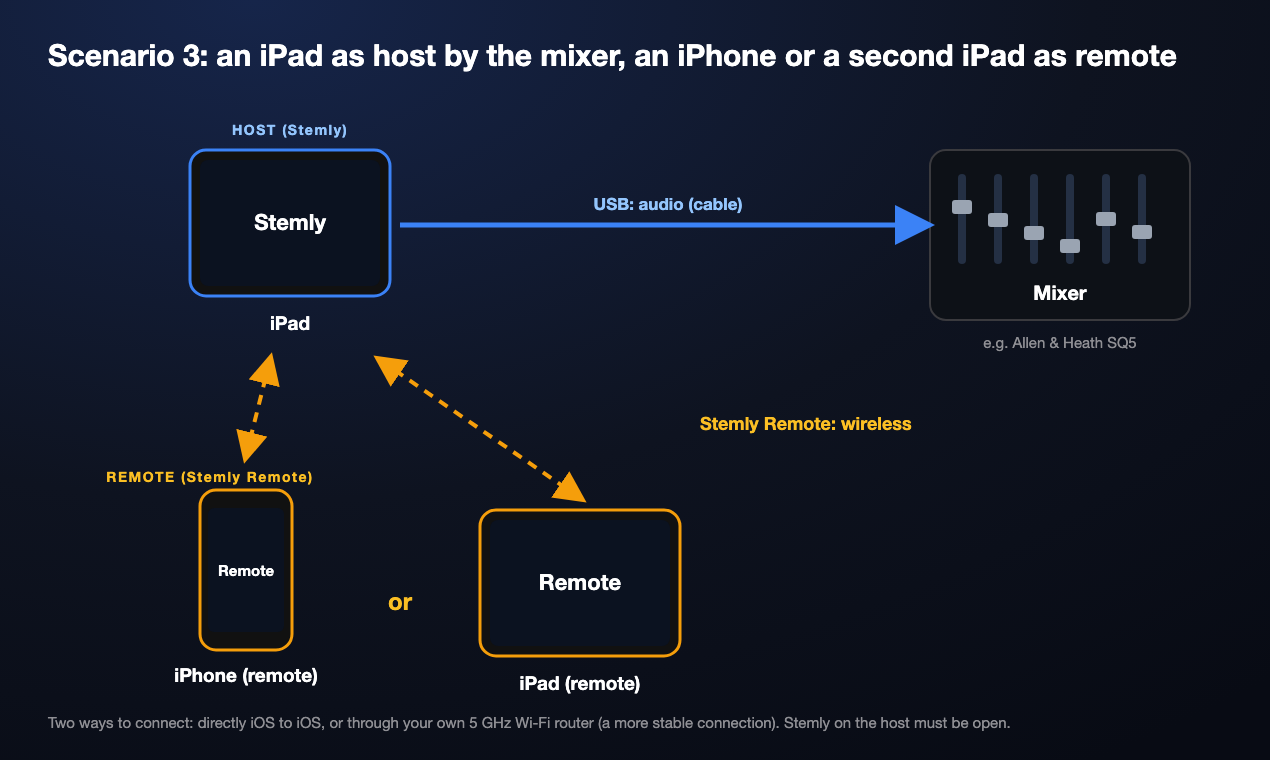
An iPad as the host, an iPhone or a second iPad as the remote
The whole rig is an iPad by the mixer. The remote can be your iPhone, or another iPad on a stand.
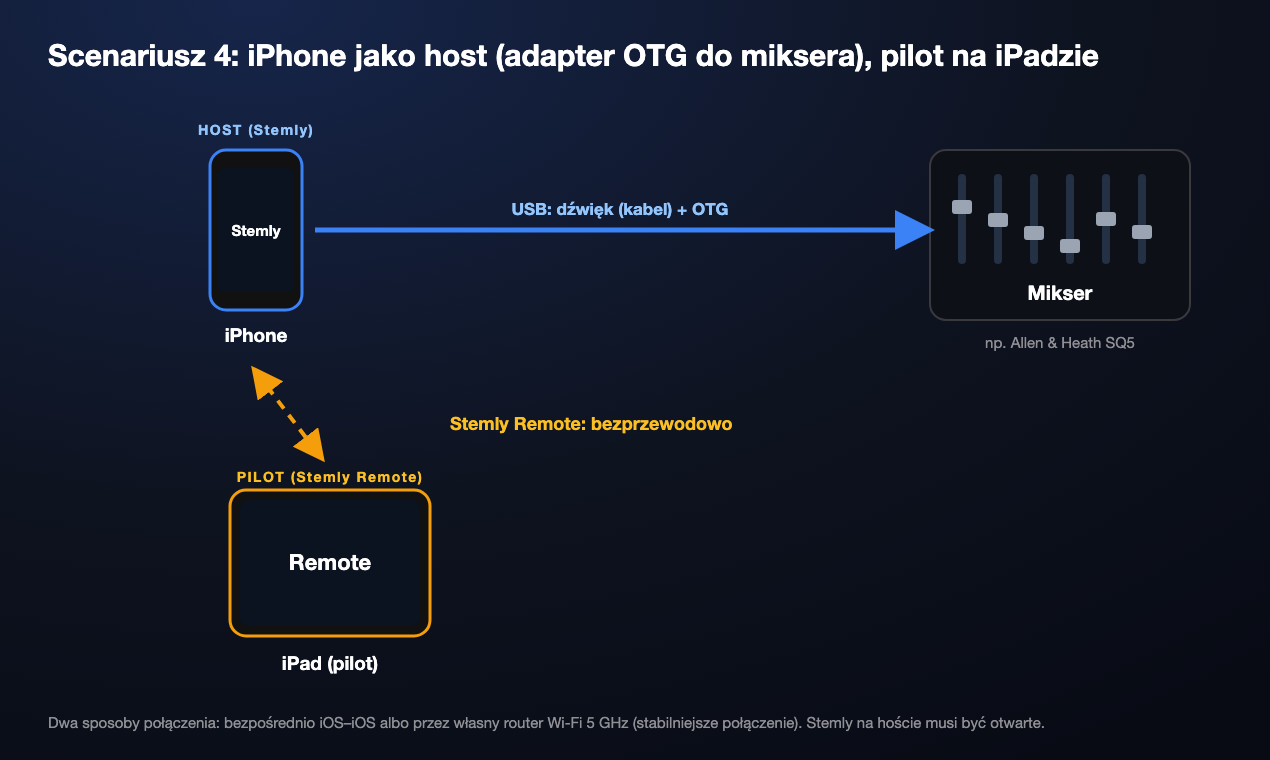
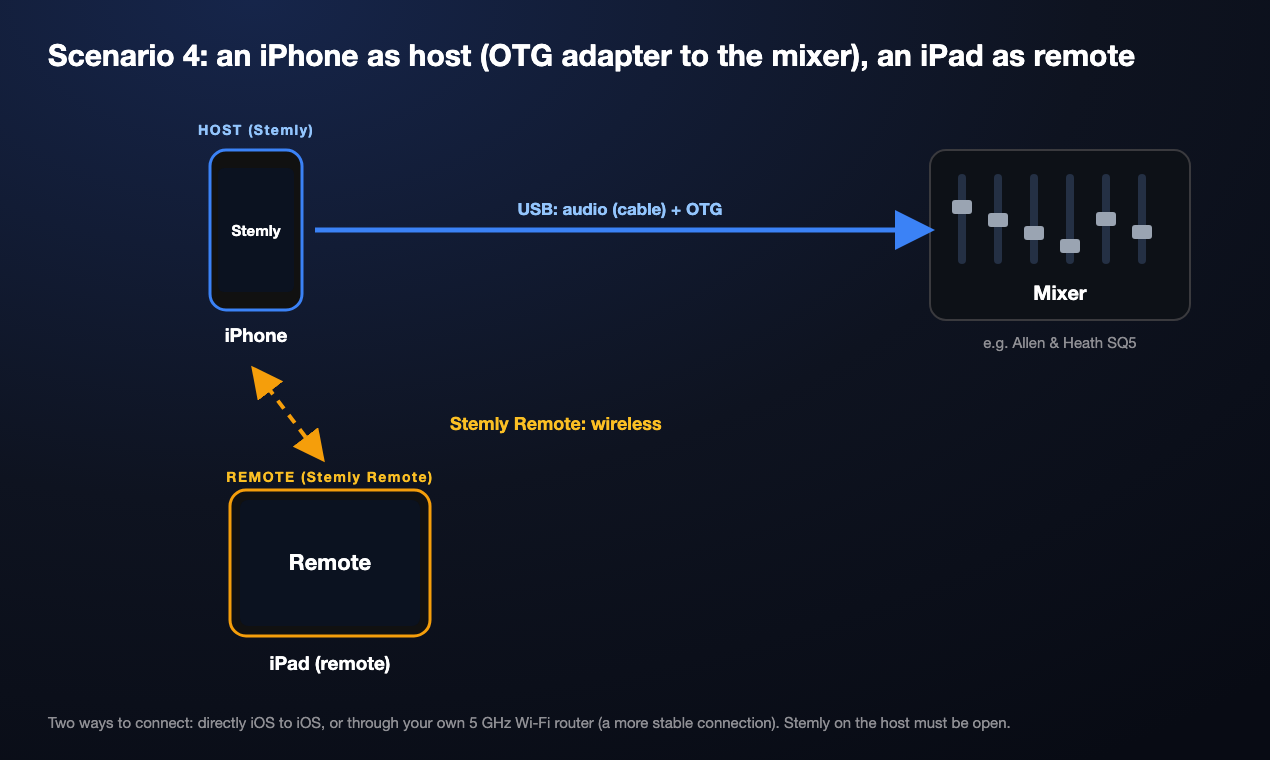
An iPhone as the host with an OTG adapter, an iPad as the remote
The smallest rig: an iPhone connected to the mixer through an OTG adapter, and an iPad as the big screen with the controls and lyrics.
Who can be what
PLAY and STOP: the safety clicks
On the remote, PLAY needs 2 taps and STOP needs 3, so an accidental touch cannot stop the show. In this clip (recorded in the simulator) you can also see how NEXT appears on the host: while a song plays I tap another one on the remote, the host shows it as the next song, and after STOP it loads it.
On real devices: an iPhone as the remote, an iPad as the host
An iPhone with Stemly Remote chooses songs on an iPad host. The next song appears on the host, and the lyrics change on both devices.
4 Two ways to connect
| Mode | How | When |
|---|---|---|
| Direct (iOS to iOS) | Device to device, no router. | Light rigs and a quick setup. Convenient, but less stable than a router. |
| Your own router, 5 GHz Wi‑Fi | Both devices join the same router. | The more stable connection, with less interference. Best if you already have a router on stage, for example the one that serves lyrics to the band. |
5 Before the gig: a short checklist
- Stemly is open on the host and the show is loaded.
- Wi‑Fi is on, on both devices (on your own 5 GHz router for the most stable connection).
- Stemly Remote is open and sees the host.
- One test: select a song, PLAY, STOP, next song, check the lyrics on the remote.
- The host is on a charger or a powered hub.
6 Price and links
Stemly Remote is free. It controls Stemly, which is free to download (up to 5 songs) with a one-time in-app purchase of $19.99 for the full version, no subscription.
Stemly Remote on the App Store → · Product page · The full rig: iPad and Allen & Heath SQ5
This article describes my own app and is not an official document of any other company.