
How to Replace the Drummer or the Singer in a Finished Song? Stems, Offline on a Mac
I split a song into stems in under a minute, pull out the part I want and play it myself or swap in my own. No cloud, no upload, no subscription.
1 Why split a song into stems?
I play weddings and concerts, so I constantly need to take a song apart. Sometimes I mute the drums to rehearse with a real drummer, sometimes I pull out the vocals for a karaoke part, sometimes I isolate the bass to learn what exactly is played. And sometimes I build a backing track from a finished recording and leave out one instrument. All of that starts with the same step: splitting the song into stems.
2 My archive: old recordings mixed down to stereo only
In my archive I have a huge number of recordings that were mixed down to stereo only, with no separate tracks. Thanks to my own app I can finally go back to them. I can remaster them, replace instruments (the kick, the snare, the bass), separate the vocals and prepare the right stems for my multitrack player, Stemly, all over again. An old stereo mix becomes working material again. These aren’t the original tracks from the session, so the result depends on the recording, but it opens up the whole archive.
3 The market is full of these apps. So why another one?
Fair question. There are many stem splitters now: cloud services with subscriptions, plugins, and even Logic Pro has its own built-in Stem Splitter. Stemly Split doesn’t try to be the one tool for everything. It does a few things I care about as a gigging musician:
- Everything stays on your Mac. No upload, no account, no internet. The AI model is inside the app.
- No subscription. You can try it free, and the full version is a one-time in-app purchase.
- A live mixer right after the split. You hear the stems at once, with faders, mute and solo, before you export anything.
- It fits my stage workflow. I split a song here and play the result in Stemly, my multitrack player.
It’s not magic: stem separation is never perfect, and I’ll say where it has limits.
4 Step 1: drop in a song and pick a mode
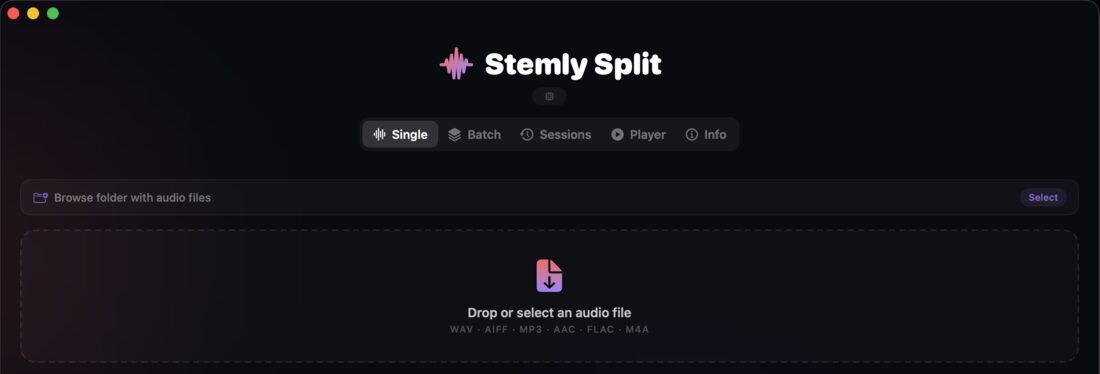
Drag an audio file into the window (WAV, AIFF, MP3, AAC, FLAC or M4A) and choose what you need:
- Vocal + Music: two stems, instant karaoke
- 4 Stems: vocals, drums, bass, other
- 6 Stems: adds guitar and piano
- Custom: pick only the stems you want

5 Step 2: the stems are ready
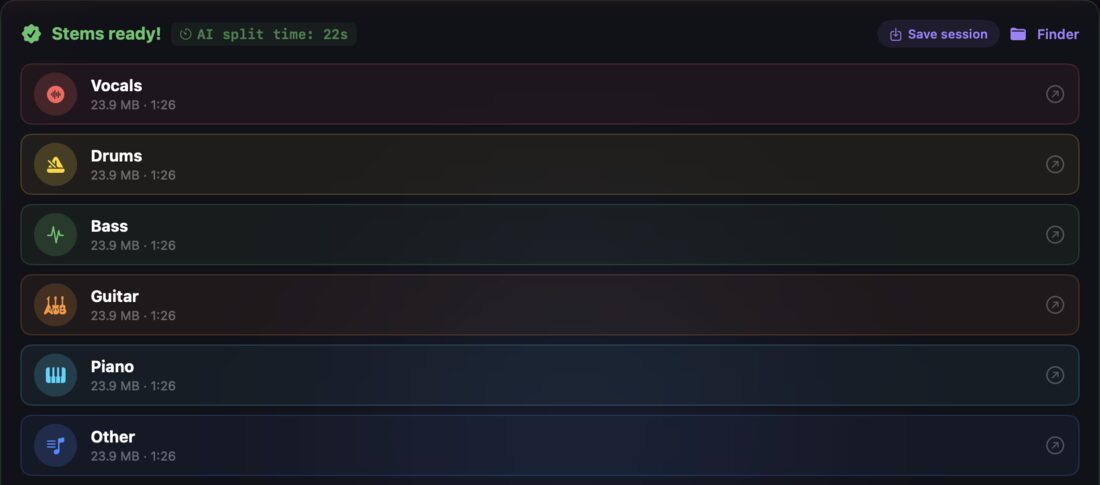
When the AI finishes, the stems appear in a list, each with its size and length. In my example a 1:26 song was split into six stems in 22 seconds on my Mac. The stems are saved next to the original file, in a folder named after the song.
6 Step 3: check the mix in the Live Mixer
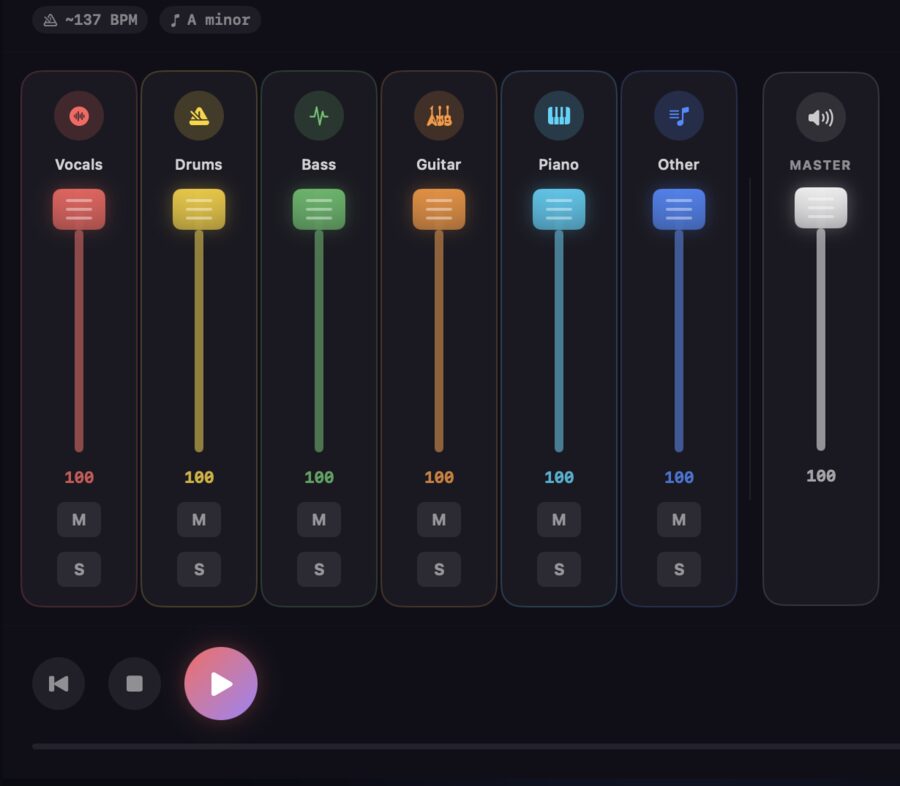
Before exporting anything I open the Live Mixer. Every stem has its own fader, mute and solo, plus a master fader. I mute the drums, solo the bass, or pull the vocals down, and I hear the result immediately. The mixer also shows the approximate tempo and key of the song, which is handy when you build a set. When the mix sounds right, you can export it as a stereo file (WAV or AAC).
7 Step 4: split the drums into kick, snare and cymbals
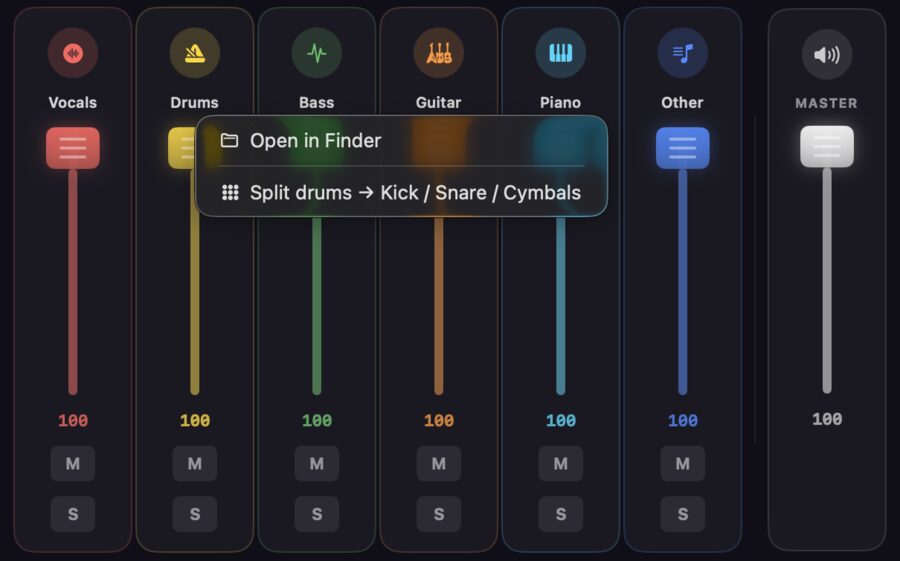
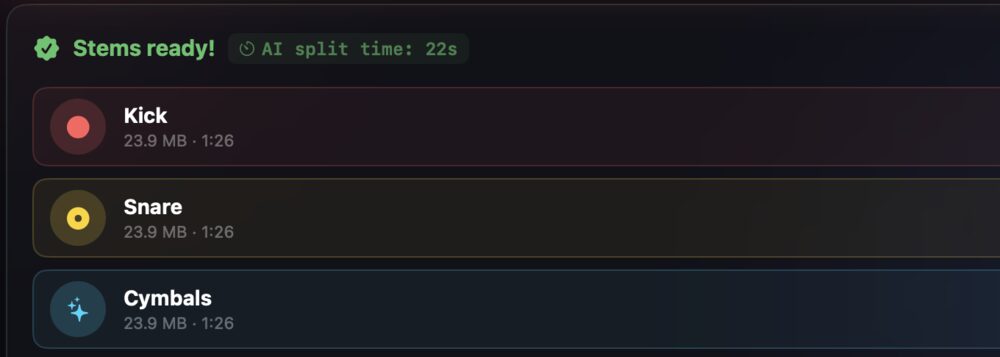
Need to go further inside the drums? Right-click the Drums channel in the mixer and choose Split drums → Kick / Snare / Cymbals. You get three new files in a moment.
8 Step 5: a whole folder at once
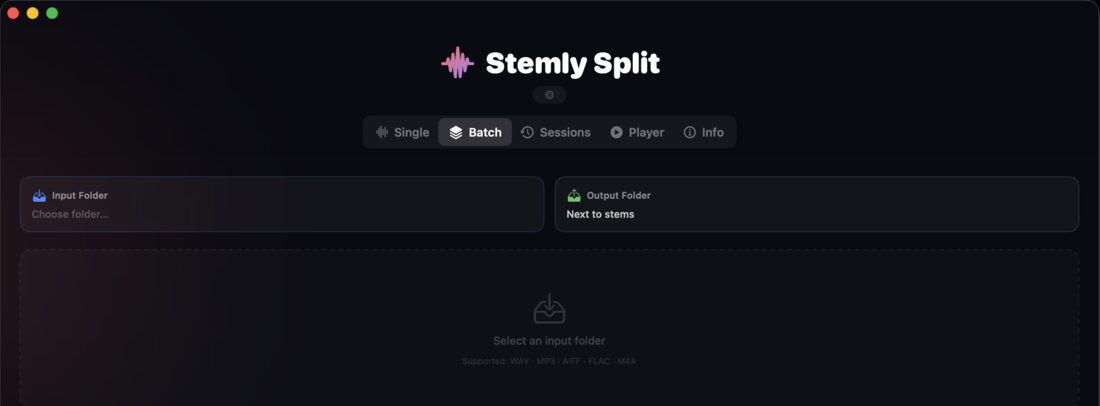
If you’re preparing a whole repertoire, use the Batch tab: choose a folder with songs, pick the mode, and Stemly Split goes through them one by one. Every result is saved as a session that you can open again later in the Sessions tab. Batch processing is part of the full version.
9 From stems to the stage
This is the part I use most. I take the stems I need, copy the folder to my iPad and play them in Stemly, my multitrack player, sending each stem to its own output of the mixer. I describe that whole path in my iPad and Allen & Heath SQ5 guide.
10 Free to try, one-time to unlock
Stemly Split is free to download and lets you split the first 90 seconds of every song, with all the modes. The full version, an in-app purchase, removes that limit and adds batch processing. It is a one-time payment, with no subscription. It runs on a Mac with macOS 14.6 or newer.
Get Stemly Split on the Mac App Store → · Stemly Split page · Write to me
Logic Pro is a trademark of Apple Inc. This article describes my own app and is not an official document of any other company.